Loading data
Preparing the interface and the latest data

AI Expert Tools

SEO tools for decisions backed by data

The Russian-market version for specialists, teams and agencies. Analyze search results, rankings, backlinks, keywords and content in one workspace.
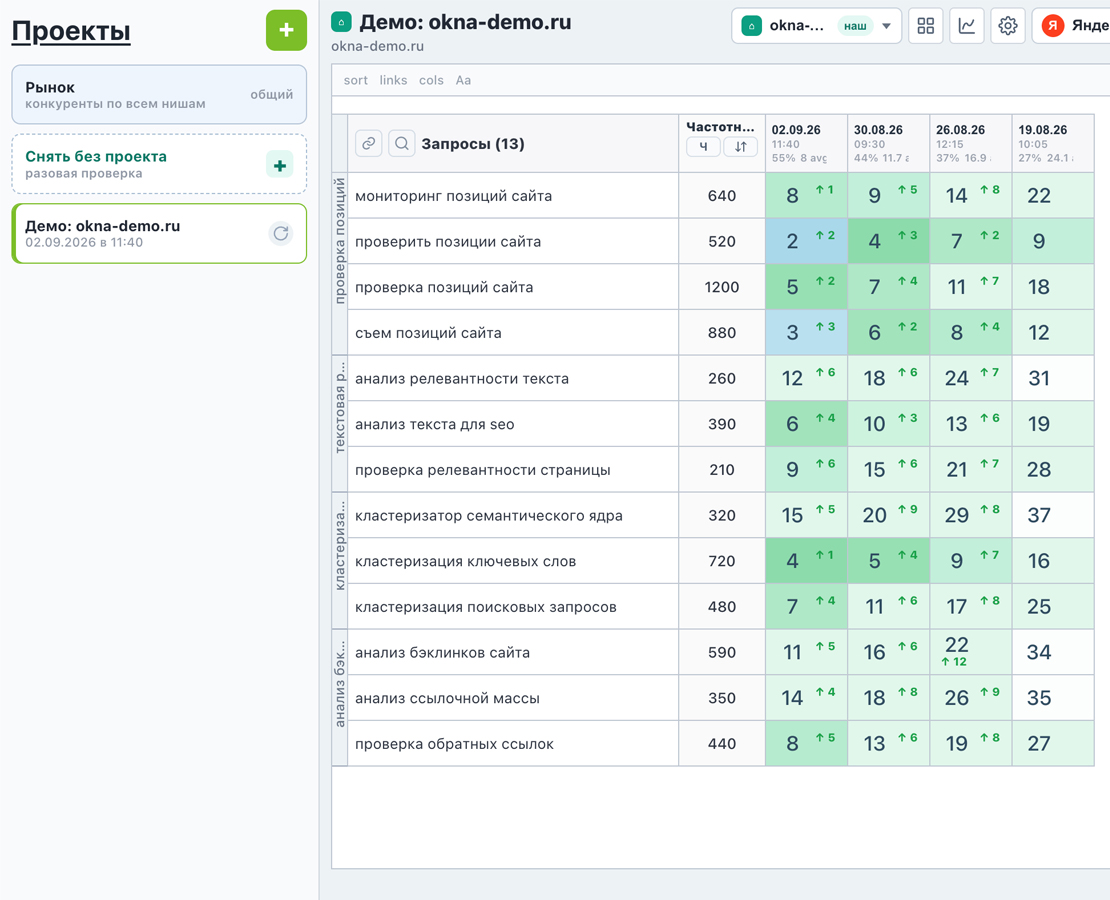
Website rank tracking in AI Expert Tools
Screenshots show the Russian interface. Rankings and visibility History, regions, devices and target URLs

About the platform

From a single check to ongoing SEO work

AI Expert Tools brings together tools that help you understand a project's performance, identify opportunities and prepare data for your next decision. Get connected reports and a saved task history instead of scattered spreadsheets and manual checks.

The platform is designed for practical work, from a quick page check to regular monitoring of multiple client projects.

Capabilities

Core areas

01

Page analysis

Relevance, search intent, structure, semantic fragments and competitor comparison.

02

Website rankings

Yandex and Google, regions, devices, change history and target-page tracking.

03

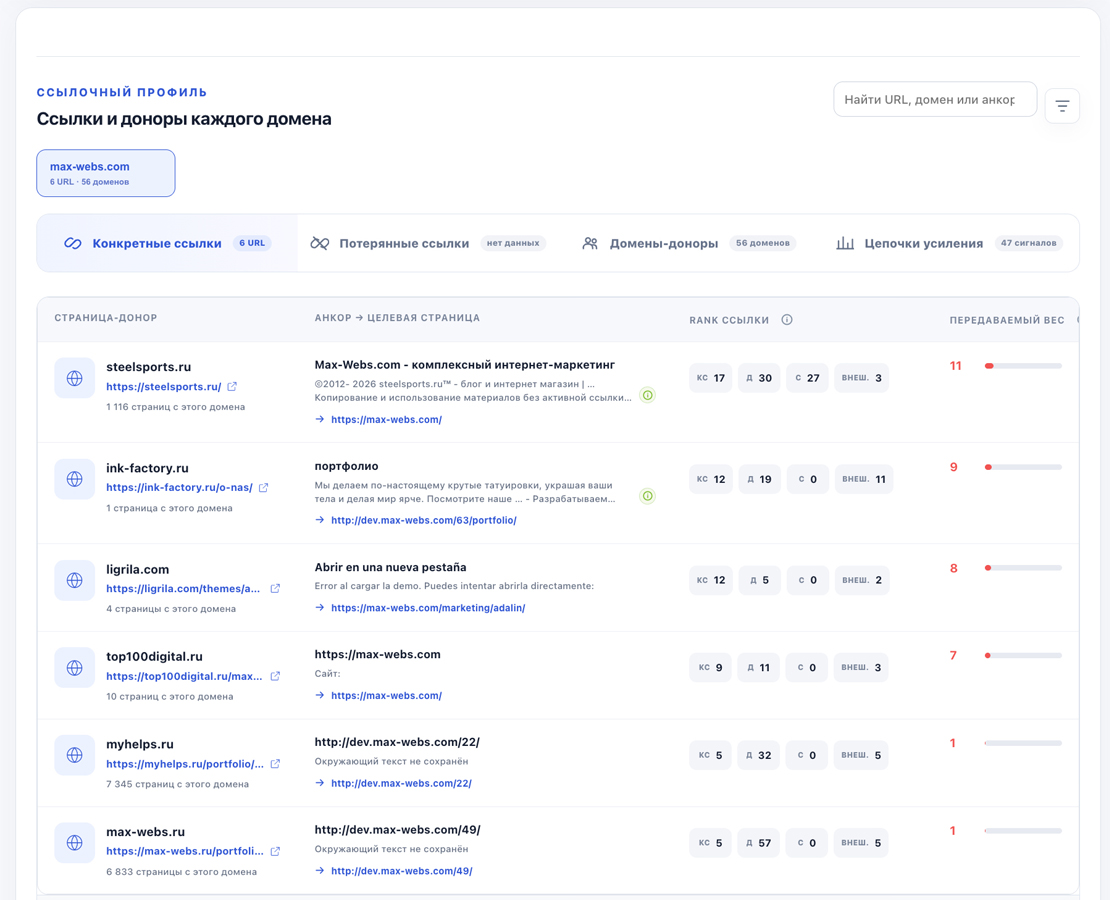
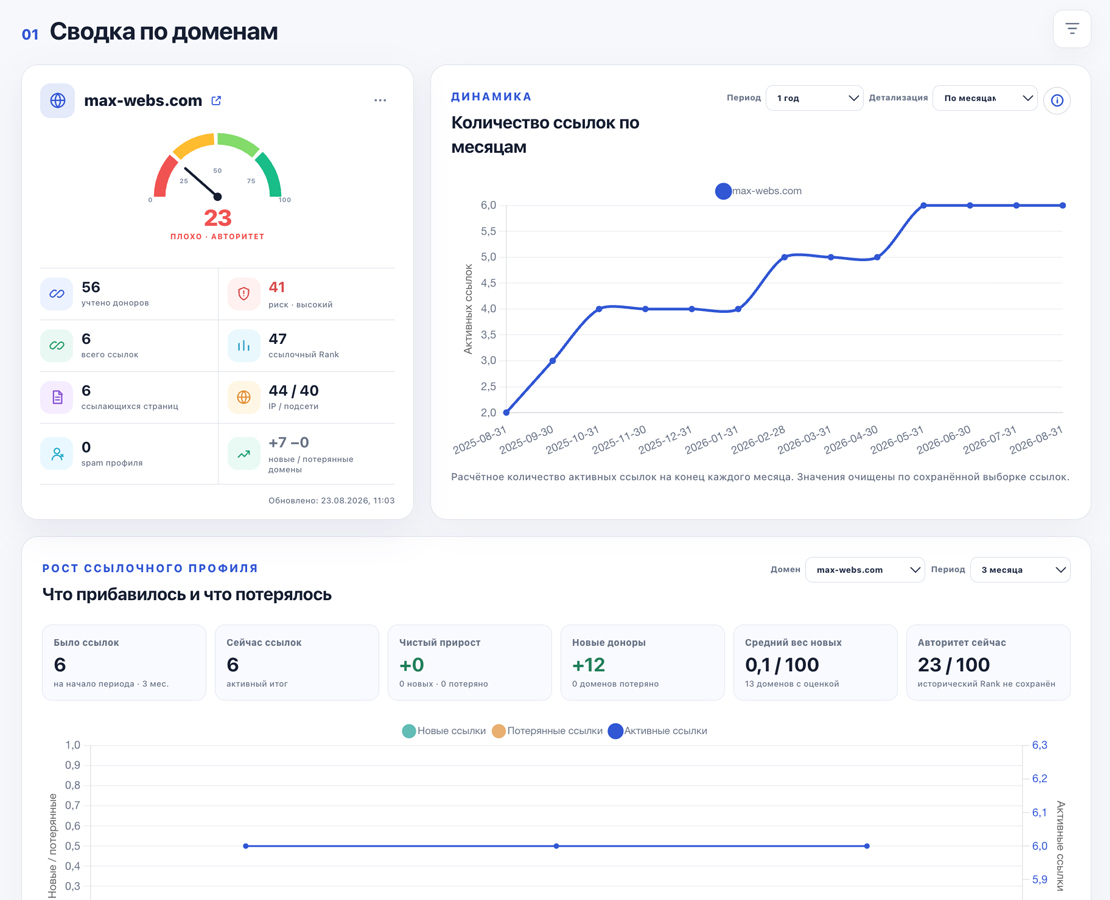
Link profile

Referring domains, anchors, link trends, risks and competitor link strategy comparisons.

04

Keywords and structure

Keyword clustering, search volume, topic maps and site structure planning.

05

Content and AI

Prepare, analyze and improve content while tracking results and credit usage.

06

Projects and reports

Task history, exports and reports you can share with your team or clients.

One workspace

Keep data connected to the task

Save projects, revisit results and compare changes. Long-running operations use background queues so that large tasks do not have to block other work in the service.
  • One account for all tools
  • Transparent credit usage
  • Run history and statuses
  • Projects and one-off checks
Link profile analysis in AI Expert Tools
Backlink analysis
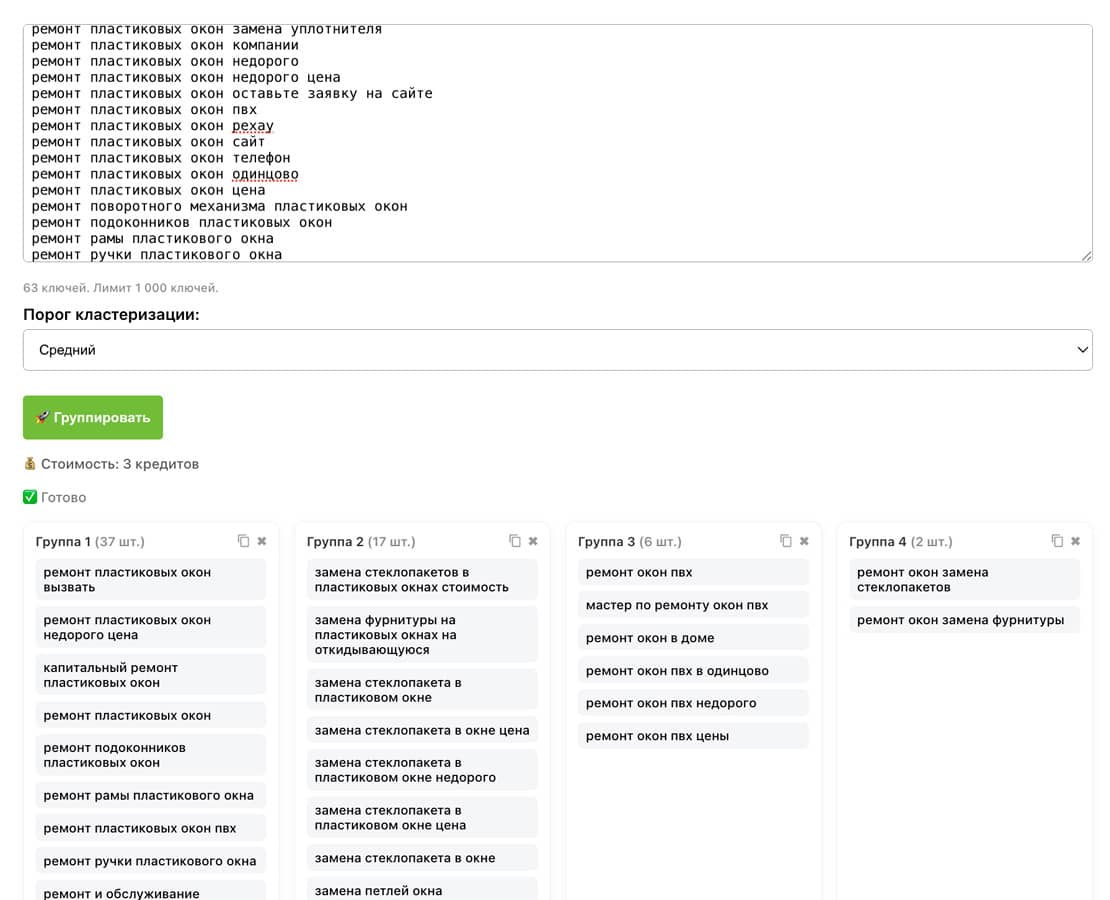
Keyword clustering in AI Expert Tools
Keyword clustering

Explore each platform tool

Text relevance analysis

A tool for analyzing text relevance. The service compares your website's content with competitors, summarizes the key data and provides recommendations for improving your page.
  • Exclude navigation blocks, stop words and other irrelevant elements
  • Analyze one or more competitor websites
  • Work independently of a region or search engine
  • Filter data flexibly using multiple parameters
  • Analyze unigrams, bigrams and trigrams to find missing terms
  • Compare your site with competitors across SEO metrics
  • Analyze page structure
  • Measure the amount of relevant text
  • Identify unique key terms
  • Count H2, H3 and H4 headings
  • Analyze the number of semantic sections
  • Identify sections containing core terms
  • Find unique core terms within each section
  • Analyze the concentration of core terms in each section
Open tool

Semantic fragment extraction

Extract semantic fragments from competitor pages

  • An SEO page has a structure of meanings and intents, beyond a set of keywords.
  • A page ranks through its structure of meaning and intent, beyond keywords alone.
  • Identify semantic signals that conventional tools miss.
  • Break competitor pages down into individual units of meaning.
  • Create content in 2 clicks that demonstrates expertise to Yandex and Google.
  • Analyze both meaning and keywords.
Open tool

Search intent analysis

Find out in a few clicks whether a page meets user expectations for a given search query.

The tool analyzes intent and produces a list of related query concepts to help plan a website or page as logical sections that cover the intent fully.
  • Identify user expectations for a search query
  • Determine the type of intent
  • Assess intent coverage on a page
  • Identify the user's decision-making stage

The tool's key value is identifying common user questions that reveal the audience's actual needs.

The service produces a multi-stage analytical report that explains your audience's needs, highlights missing page elements and suggests ways to address the intent.

Ways to address intent:

  • Add a separate block or section
  • Create a subsection within an existing section
  • Present the information as a section or list
  • Add it to the FAQ
  • Skip it if the element is not essential
Open tool

Expertise analysis

A tool for analyzing expertise in text. The service shows which expertise signals are present and which are missing.

  • Analyze expertise in text
  • Help your text demonstrate expertise to search engines
  • See where the text is superficial
  • Understand why the text is unconvincing
  • Identify missing expertise indicators
  • Create expert content 10 times faster
  • Generate expert content
  • Highlight semantic signals
Open tool

UX block generator

Generate website text blocks for specific user intents, with the option to supply keywords and check their inclusion.

  • Generate UX blocks
  • Choose the user's stage: exploring a service or choosing a provider
  • Choose the block type: a main section, subsection or FAQ
  • Specify keywords to include
  • SEO text
  • Control keyword integration
  • Highlight included keywords
  • Keyword usage statistics (coverage percentage)
Open tool

Text rewriting

The service changes wording, structure and presentation while preserving the original content, facts and logic. It helps improve textual originality without losing semantic accuracy or SEO context.

  • Rewrite paragraphs while preserving their meaning
  • Preserve facts, terminology and the structure of knowledge
  • Check that the original meaning is retained
  • Vary text structure and syntax
  • Make the text less susceptible to text-similarity detection
Open tool

Keyword clustering

Turn a list of search queries into topic groups for site structure, landing pages and a content plan. Create a quick first-pass grouping on the server, or use SERP mode to group queries based on overlapping actual search results.

  • Process keyword sets of up to 2,000 queries
  • Server-side and SERP clustering
  • Strict, medium and loose grouping thresholds
  • Choose a region for search result analysis
  • Optionally collect Wordstat search volumes
  • Search, filter and manually refine the resulting groups
  • Copy clusters and lemmatize queries
  • Build a site structure from clusters
Open tool

Website rank tracking

See your site's positions in Yandex and Google and save the change history for each query. Create projects, organize keywords into groups, compare regions and devices, or run a one-off check without a project.

  • Check rankings in Yandex and Google
  • Regions, mobile and desktop results
  • Check depths from the top 10 to the top 250
  • Ranking history, trends, visibility and average position
  • Projects and thematic keyword groups
  • Track target URLs and analyze competitors in search results
  • Collect and display keyword search volumes
  • Import and export keywords
  • Share a guest report link with a client
Open tool

Backlink analysis

Collect a domain's link profile, assess referring-domain quality, track new and lost links and compare your site with competitors. The report combines summary metrics, individual links, anchors and risk signals in one interface.

  • Analyze a domain or an individual page
  • View individual backlinks and referring domains
  • Anchors, target pages and surrounding link text
  • Link Rank, Domain Rank and estimated link equity
  • Trends in active, new and lost backlinks
  • Filter dofollow, sitewide, spam and risky links
  • Compare competitors and find link gaps
  • Link-strengthening chains and shared competitor referring domains
  • Saved projects and data exports
Open tool

Service version

For users and companies in Russia

The domain ai-expert-tools.ru offers the Russian-market version, prices in rubles and payment methods for the Russian market.

Need the international version? Go to ai-expert-tools.com

Getting started

Choose a tool for your current task

Register, get starter access and try a workflow on your own project.

Start using AI SEO Expert Tools

Create expert content faster and analyze SEO content in greater depth.
Get 30 trial credits when you register.

🔐 Sign in to your account

Sign in to use this tool.

⛔ Your trial has ended

Your Basic trial plan has ended.

Access to tools is restricted until you renew or change your plan.

🚀 No credits remaining

You have used all your available credits.

⚠️ Check your information

Unable to complete the action.

Group
Support chat